No need to create a Remind list or massive group chat. Utilize the SA Trip Chat to text those on the trip or parents at home.
How to use TripChat
- Download the Student Adventures TripApp from the App Store or Google Play
- Login using the information below
Your Login Information
Username: {{user}}
Password: {{pw}}
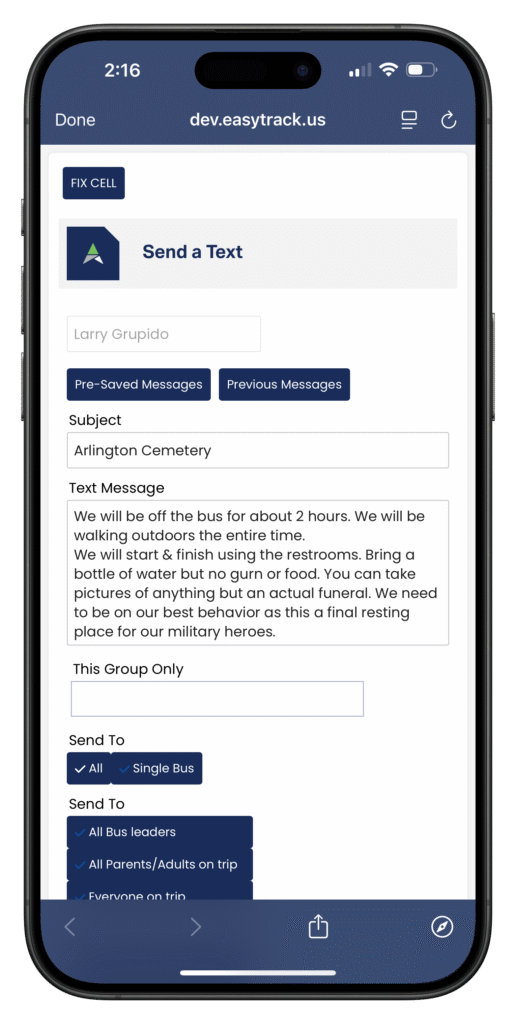
- Select “TripChat” from the main screen
- Write your message in the “Subject” and “Text Message” fields
- Select the audience for your message
- Everyone on Trip – Sends a message to all participants that are actually traveling on the trip. Use this when you want to communicate meeting times & locations, what can and cannot be brought into a venue, any reminders or information those on the trip need to know..
- Primary Contacts – Sends a message to any parent who registered their student for the trip. Use this when you want to update parents back at home about arrival times, how the trip is going, or upload group photos.
- Finally, hit the “Send” button to broadcast your message
Why are some of my students not getting the text messages I send?
In most cases their phone number is entered incorrectly. To resolve this issue, select “Fix Cell” in the top-left corner of TripChat, search for the name of the student, and confirm their phone number is correct.